How to find your medical device identifier
To register a device, you'll need its unique ID number. It turns up in more places than most people expect, from the card your surgeon gave you to the sticker on the original packaging.

What's a Unique Device Identifier?
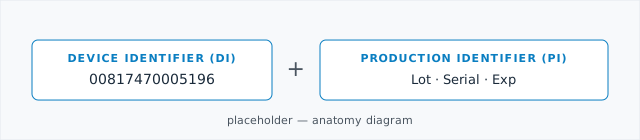
A Unique Device Identifier (UDI) is the FDA-issued number that lets Quivive match recall alerts to your specific device. It has two parts. The Device Identifier (DI) tells us the make and model. The Production Identifier (PI) carries the lot number, serial number, or expiration date of the exact unit you received.
Four places it's likely hiding

Implant card
The FDA has required these for Class II and Class III implantables since 2020. It's a wallet-sized card your surgeon's office should have given you. If you don't have one, they can print another.

Package sticker / discharge paperwork
Hospitals often peel a sticker from the device package and add it
to your discharge paperwork. Look for a 14-digit number near a
barcode, often preceded by (01).

Operative report
Your operative report lists every device implanted during surgery. The hospital's medical-records office can send you a copy, and you have a legal right to it.

Patient portal / EHR
If your hospital uses an electronic patient portal (such as MyChart), check under Health → Implants or Medical devices. Many EHRs surface the UDI directly.
What it looks like on a label
Two formats cover almost every device. The number on your label will start one of two ways:
GS1 (most common)
(01) 00817470005196
The 14 digits after (01) are the DI. Other bracketed
codes on the same label ((11), (17),
(10), (21)) carry the lot, expiration,
and serial information.
HIBCC (alphanumeric)
+ H123ABC456/$$3201001
The DI is the portion immediately after +. The
/$$ separator marks the start of lot/expiration data.
If you only have a model or REF number
The FDA maintains a free public database called AccessGUDID that lists every registered UDI. If you have the model number (sometimes labeled REF on stickers), you can look up the DI directly.
-

Open AccessGUDID
Go to accessgudid.nlm.nih.gov and click Advanced Search.
-

Search by version/model
Change the Search In dropdown to Version or Model and paste your REF or model number into the search box.
-

Copy the 14-digit DI
The result lists the Device Identifier near the top of the detail page. That's the number to enter when you register your device in Quivive.